For novelists · Windows desktop

Your whole novel,
on one desk.

StoryDesk is part word processor, part personal wikipedia, part continuity checker. Draft in a distraction-free binder, keep your world in a linked wiki, and let the timeline catch the plot holes before your readers do.

Buy once, own forever. No subscription. Your files live on your computer.
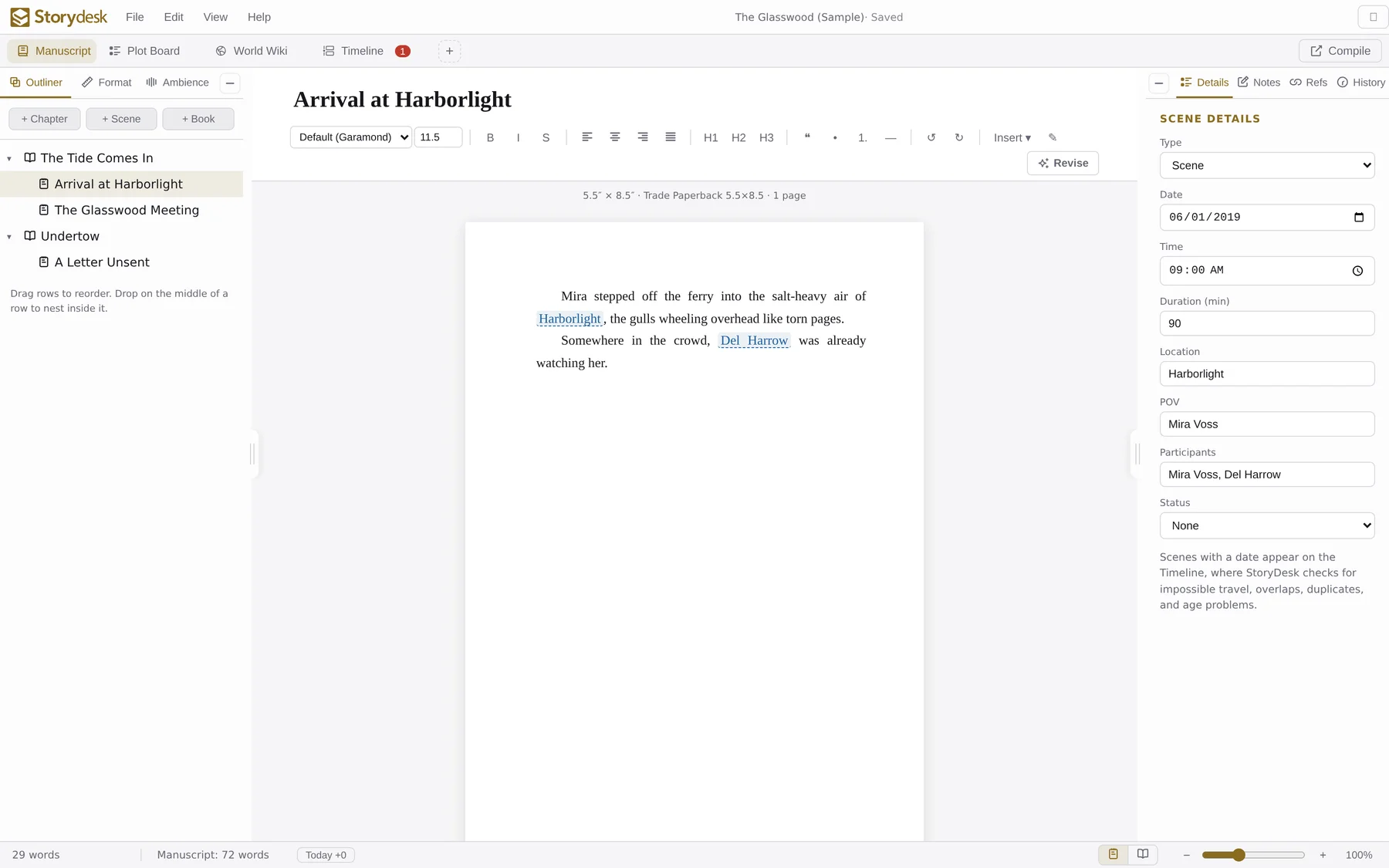
The StoryDesk manuscript view: binder, rich-text editor, and scene details panel
$29.99 buy once, no subscription Offline-first: projects are files on your disk Compile to PDF · EPUB · Word Built-in continuity checking
The studio

Everything a novel needs, nothing it doesn't

Start with just a manuscript. Add the World Wiki, Plot Board, or Timeline only when your story calls for them. Each is one click away, and one click to tuck back out of sight.

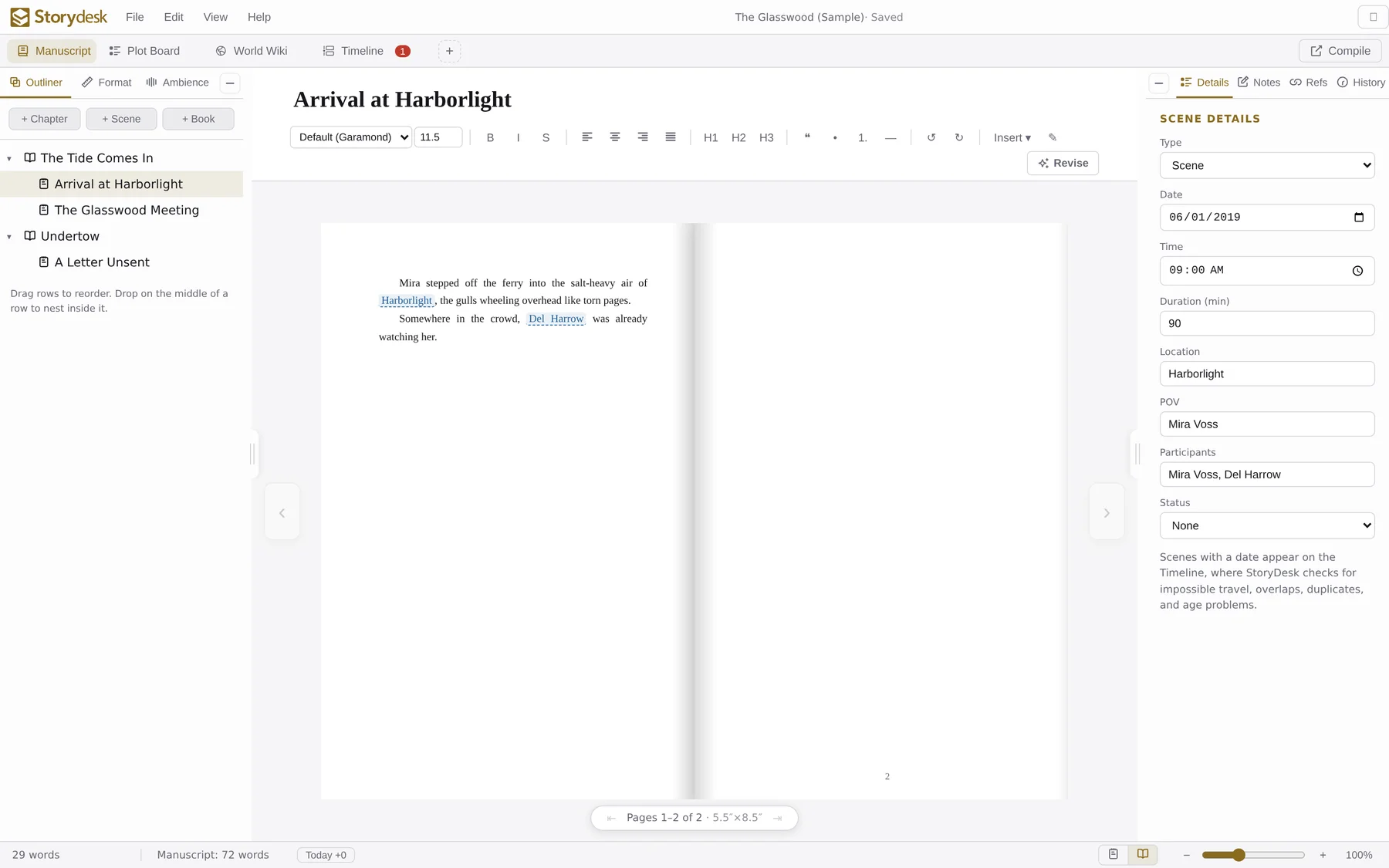
Manuscript view with binder and editor
Manuscript

A binder that thinks in books, chapters, and scenes

Nest folders, chapters, and scenes to any depth, drag to reorder, and write in a clean rich-text editor with live word counts and book-typography niceties: em dashes, curly quotes, drop caps, scene ornaments.

  • Scene details on every scene: date, time, location, POV, participants, status.
  • Writing goals and per-document, per-manuscript word counts.
  • Revise mode: track changes, spelling, grammar, and style checks.
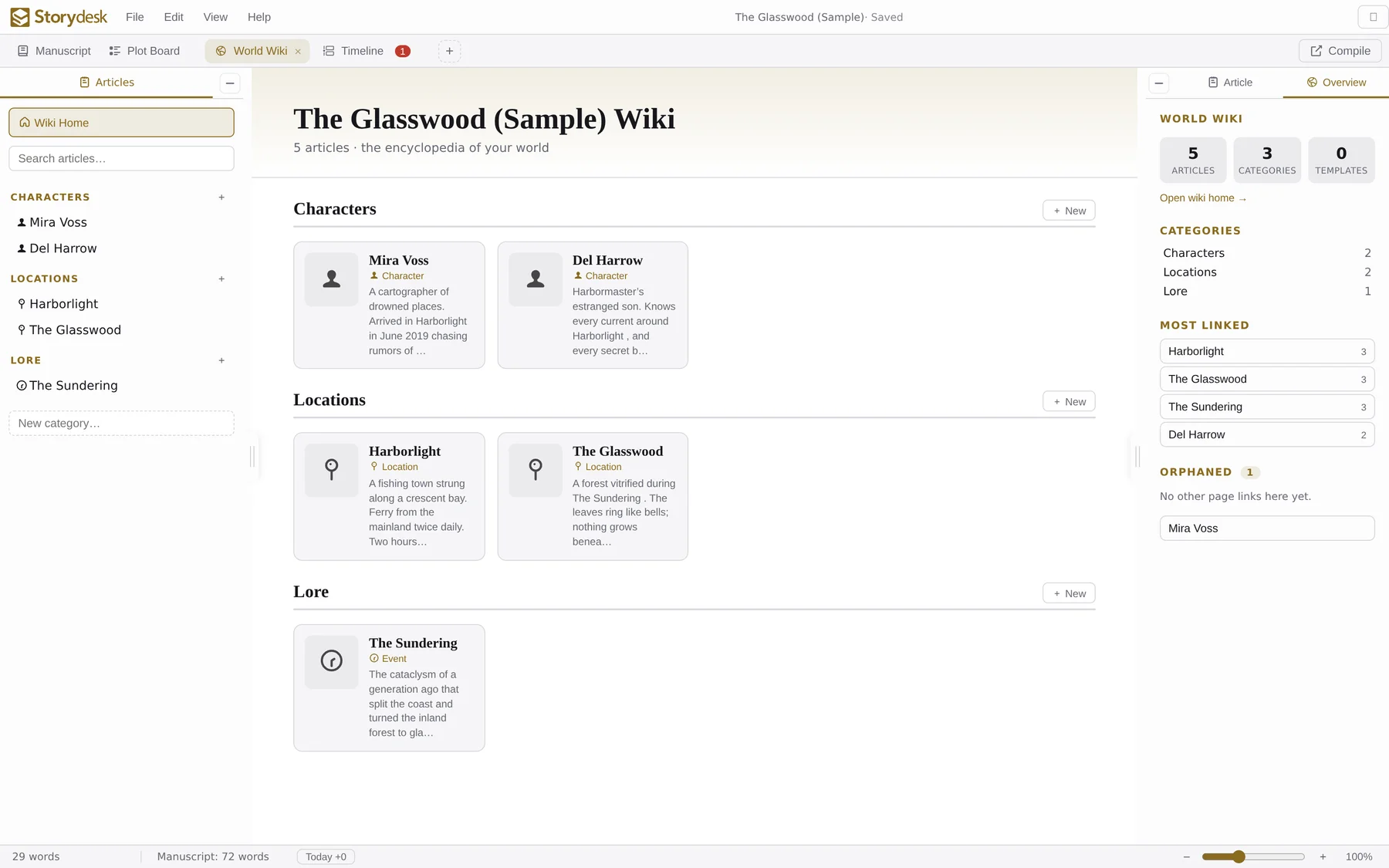
World Wiki view with characters, locations, and lore
World Wiki

A personal encyclopedia of your world

Characters, locations, and lore, organized in categories you invent. Type [[Note Name]] in any editor and it becomes a clickable link, creating the article on the spot if it doesn't exist yet.

  • Backlinks everywhere: every article shows each scene and note that references it.
  • Birth & death dates on characters feed straight into the timeline checks.
  • Orphan tracking so no corner of your world gets forgotten.
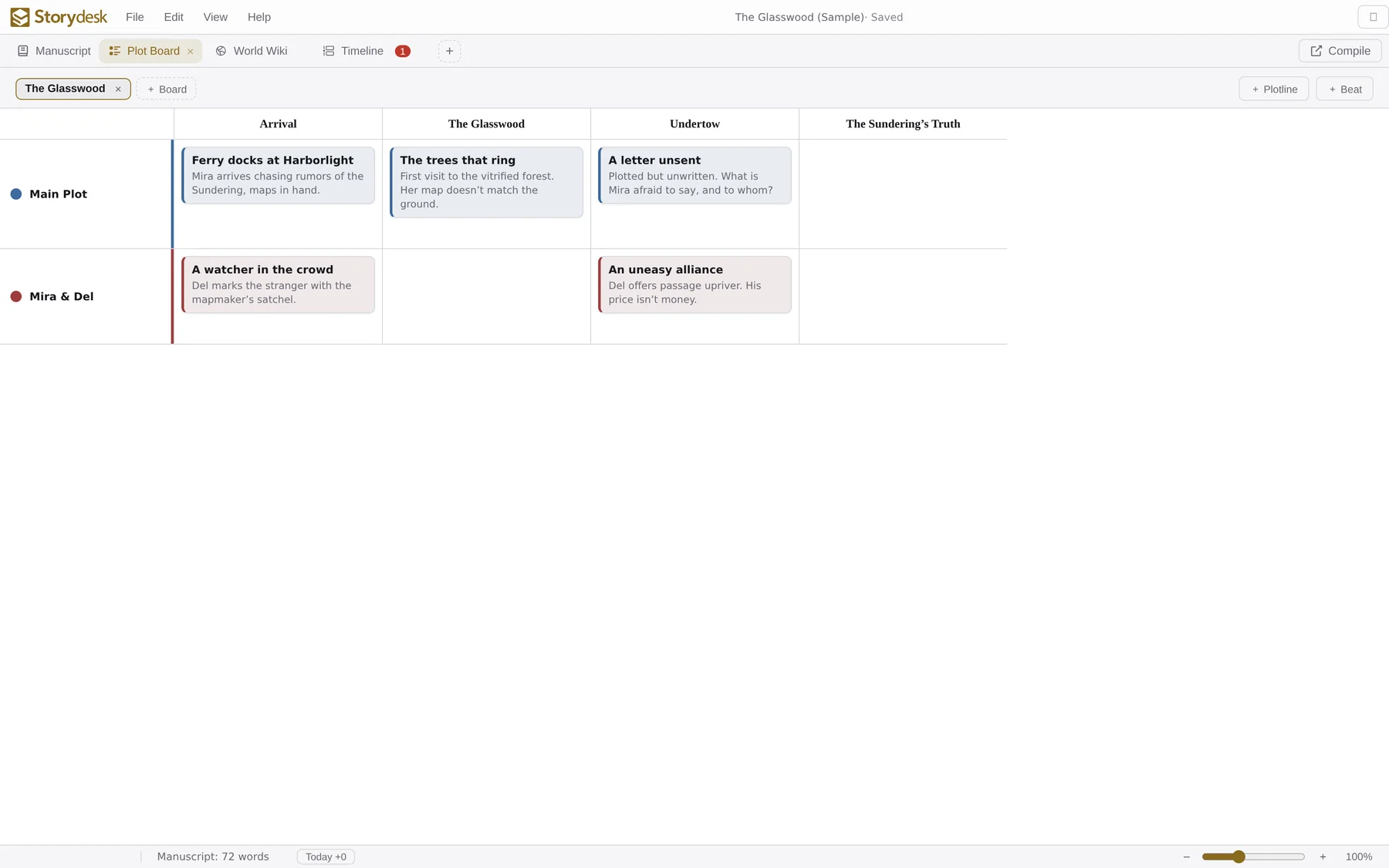
Plot Board with plotlines and beats in a grid
Plot Board

See every plotline at a glance

A corkboard-style grid: plotlines down the side, story sections across the top, beats where they intersect. Spot the sagging middle, the thread you dropped in act two, the chapter where nothing happens.

  • Multiple boards per project: one for each book, arc, or draft.
  • Color-coded plotlines keep threads distinct at a glance.
Book view showing a facing-page spread
Book view

Write inside your finished book

Flip a toggle and your manuscript becomes a live, fully editable two-page spread at your exact trim size. Or stay in Standard view: a Word-style stack of pages with true print pagination and widow & orphan control.

  • Real trim sizes: trade paperback, hardcover, mass market, screenplay presets.
  • What you see is what prints: the same typesetting engine drives every preview and every export.
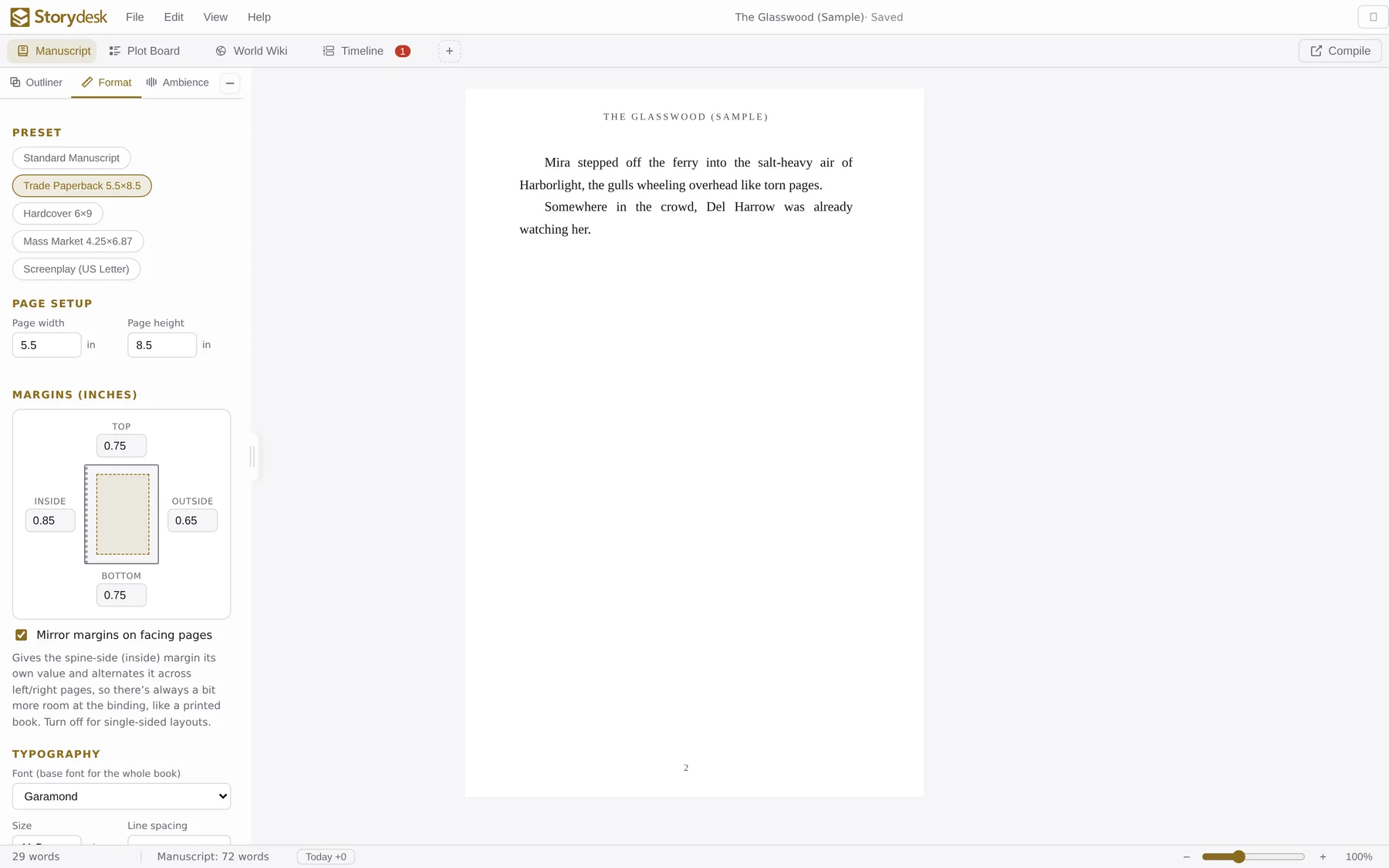
Format panel with presets, page setup, and margins
Typesetting

Book design without the desktop-publishing degree

Pick a publishing preset or tune everything by hand: trim size, mirrored margins with spine control, fonts, line spacing, indents, hyphenation, scene separators, chapter-title styling, running heads, and page numbers.

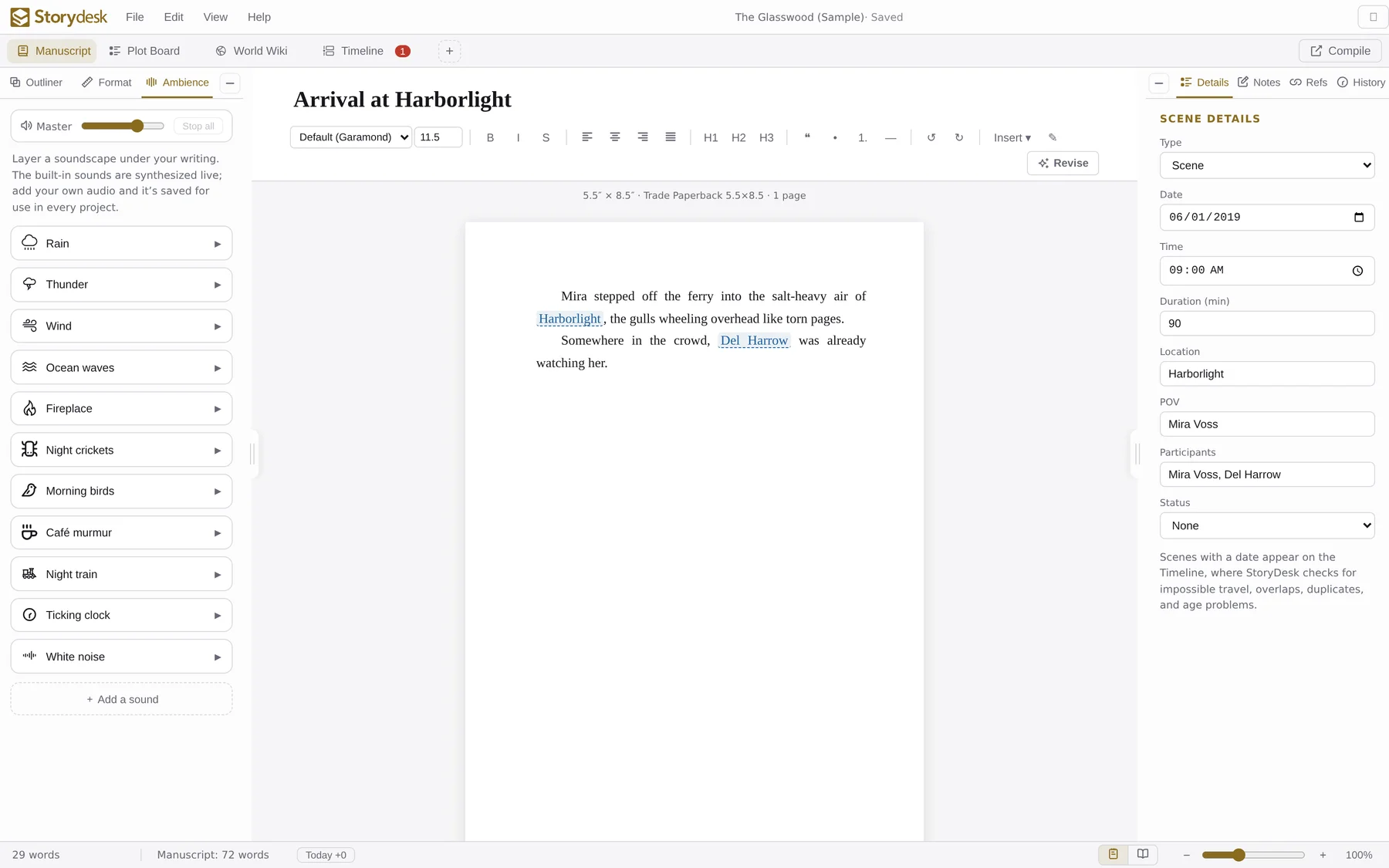
Ambience soundscape mixer with rain, fireplace, café and more
Ambience

A soundscape mixer for deep work

Rain on the window, a crackling fireplace, café murmur, a night train. Layer as many as you like with per-sound volume. Every sound is synthesized live, so there are no audio files and no licenses. Your mix is remembered per project.

Timeline & continuity

The plot-hole catcher

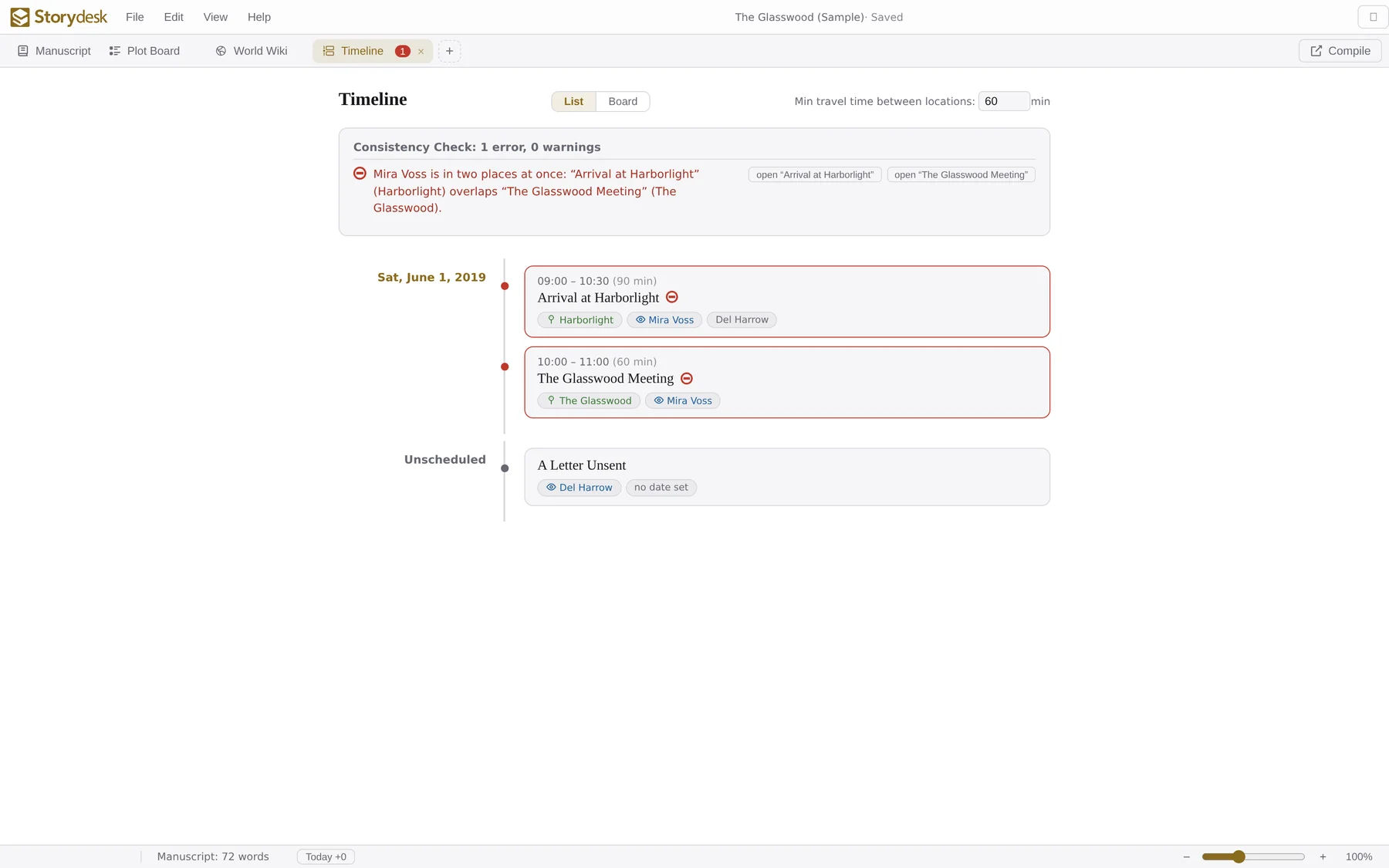
Give scenes a date and they appear on a chronological timeline, where StoryDesk's consistency engine quietly cross-references every character, place, and hour.

Timeline view flagging a continuity error: a character in two places at once
ErrorImpossible travelA character crosses locations faster than your minimum travel time.
ErrorTwo places at onceOverlapping scenes put one character in different locations.
ErrorAge inconsistenciesAppearances before a birth or after a death.
WarningOverlapping scenesSame POV or shared cast in overlapping time windows.
WarningDuplicate eventsTwo scenes with the same start, place, and people.
Make it yours

Three themes, endlessly tunable

Light for the day shift, Book for sepia-paper cosiness, Dark for the 2 a.m. chapters. Every theme's core colors can be customized with a live preview.

Light theme

Light

White page, black text. Classic and crisp.

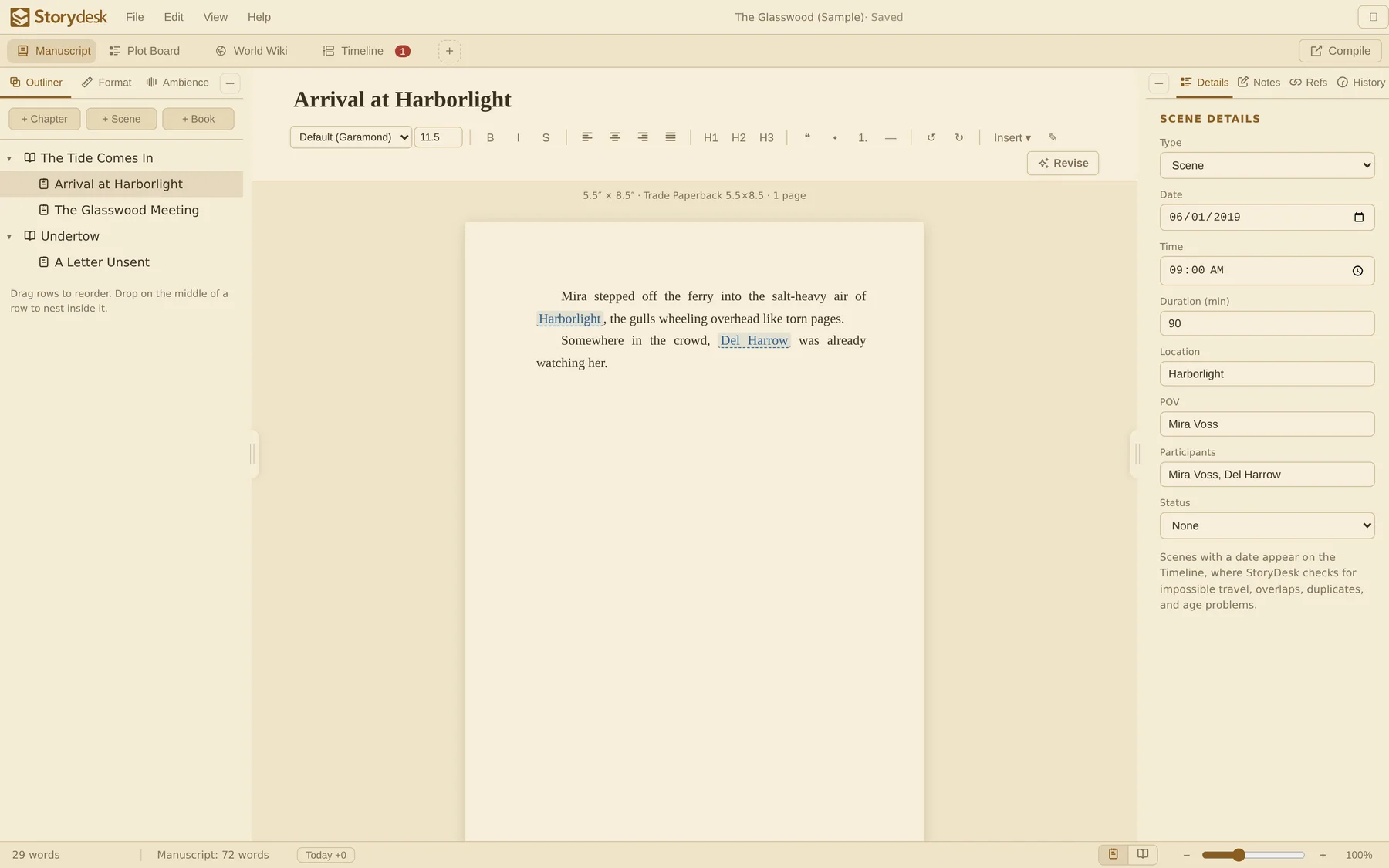
Book theme

Book

Warm sepia paper, like writing straight into an old hardcover.

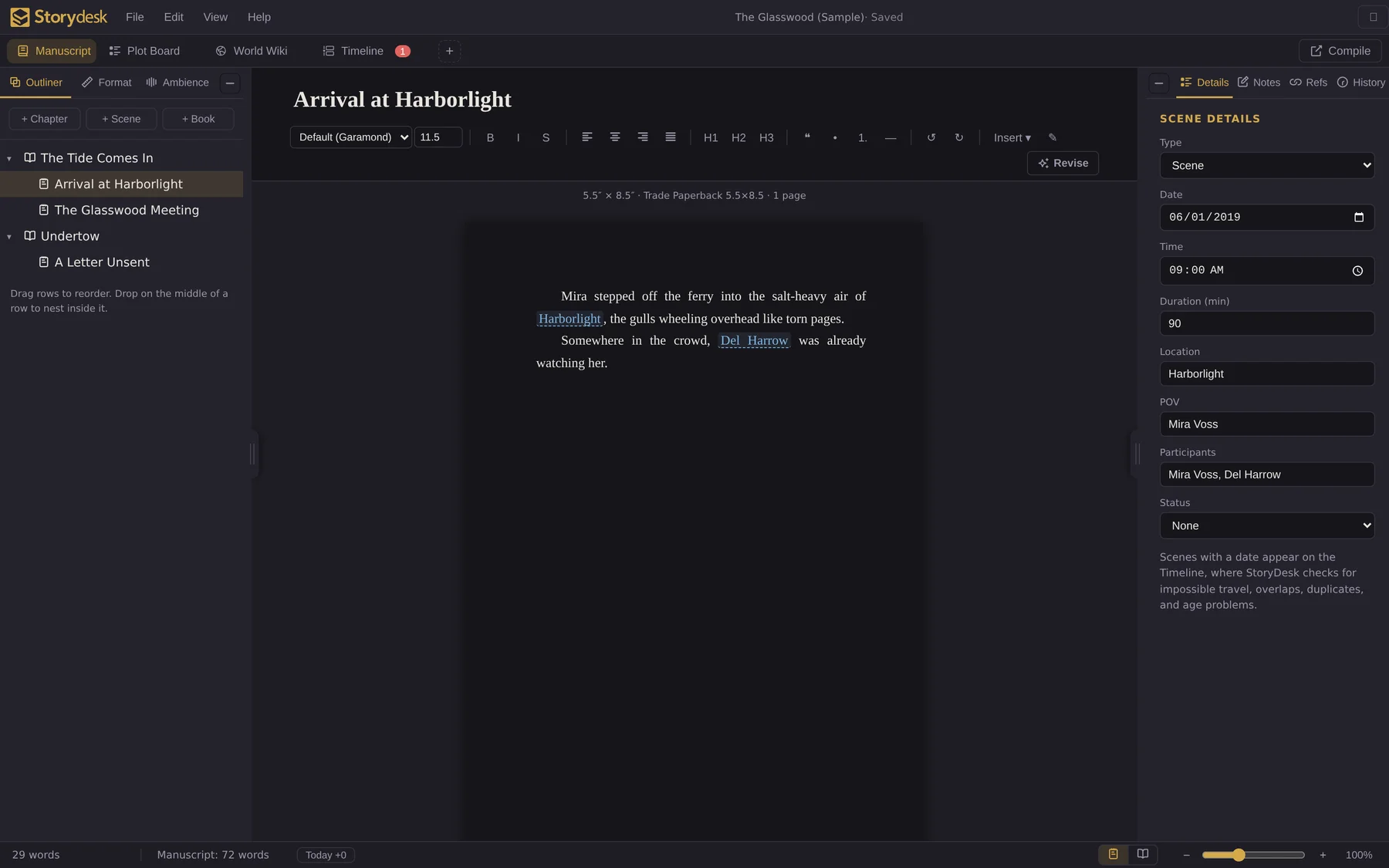
Dark theme

Dark

Easy on the eyes when the house is asleep and the plot isn't.

The last step

From draft to deliverable in one click

Compile the whole manuscript, a book, or a single chapter. It's driven by the same typesetting engine as every preview, so what you see is exactly what ships.

PDF

Print-ready at exact trim size: line-level page breaks with widow & orphan control, hyphenation, mirrored margins with outside page numbers, running heads, and chapter title pages.

EPUB

Reflowable EPUB 3 (with EPUB 2 fallback) for Kindle, Apple Books, and Kobo. Your fonts, spacing, chapter structure, and scene breaks carry over.

Word

An editable .docx in your book format: trim size, margins, fonts, page numbers and all. Exactly what agents and editors ask for.

Pricing

Buy once. Write forever.

No subscription, no cloud lock-in, no monthly rent on your own novel.

StoryDesk
$29.99

One-time purchase · Windows desktop

  • Manuscript binder & rich-text editor
  • World Wiki with [[linking]] & backlinks
  • Plot Board & Timeline with continuity checks
  • Full typesetting engine & live book preview
  • Compile to PDF, EPUB, and Word
  • Ambience soundscape mixer
  • All updates to version 1.x included
Buy StoryDesk for $29.99

Instant serial number · .sdesk project files stay on your machine, always yours

Not sure yet? Try the full app free for 3 days, no account, no card.

Questions

Frequently asked

Is it really a one-time purchase?
Yes. $29.99 buys the app outright, including all 1.x updates. There is no subscription and nothing held hostage in a cloud you have to keep paying for.
Where do my projects live?
On your computer, in .sdesk files you can copy, back up, and move like any other document. StoryDesk autosaves to your project file as you write.
What platforms does it run on?
StoryDesk is a Windows desktop app today. It's built on a codebase that's ready to serve future platforms. If you'd like to see it somewhere else, tell us.
Do I have to use the Wiki, Plot Board, and Timeline?
No. New projects open with just the Manuscript. Add modules from the + tab only if your story needs them, and remove them any time. Their content is kept.
Can I get my manuscript out?
Always. Compile to print-ready PDF, reflowable EPUB, or an editable Word document, or export the entire project as JSON. No lock-in, ever.

The book won't write itself.
But the desk is ready.

Join the writers who plot, draft, and typeset without ever leaving their studio.

Buy StoryDesk for $29.99   Try free for 3 days